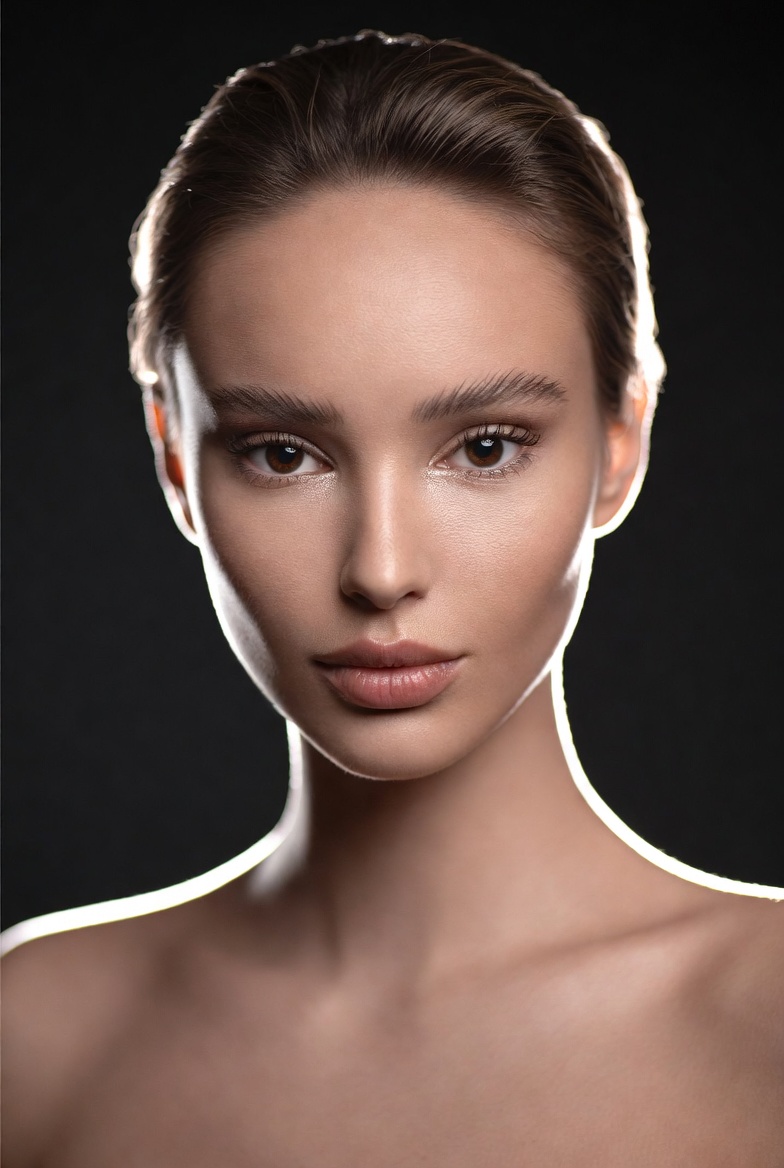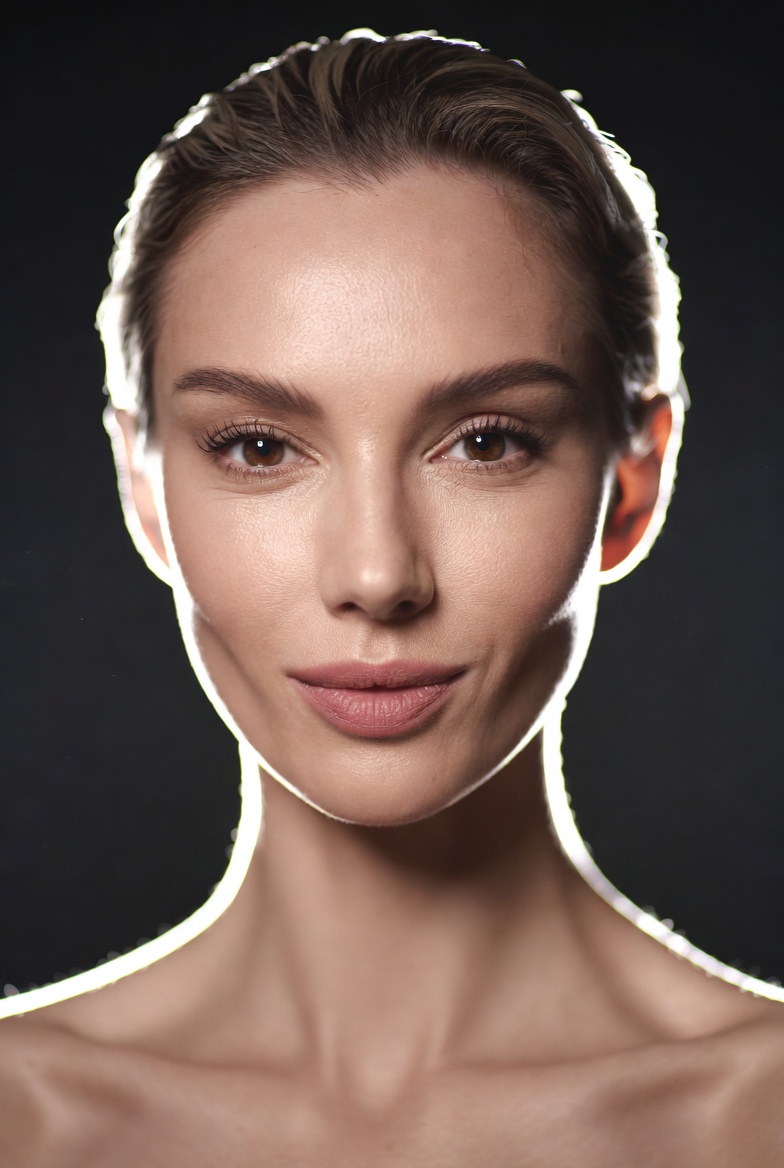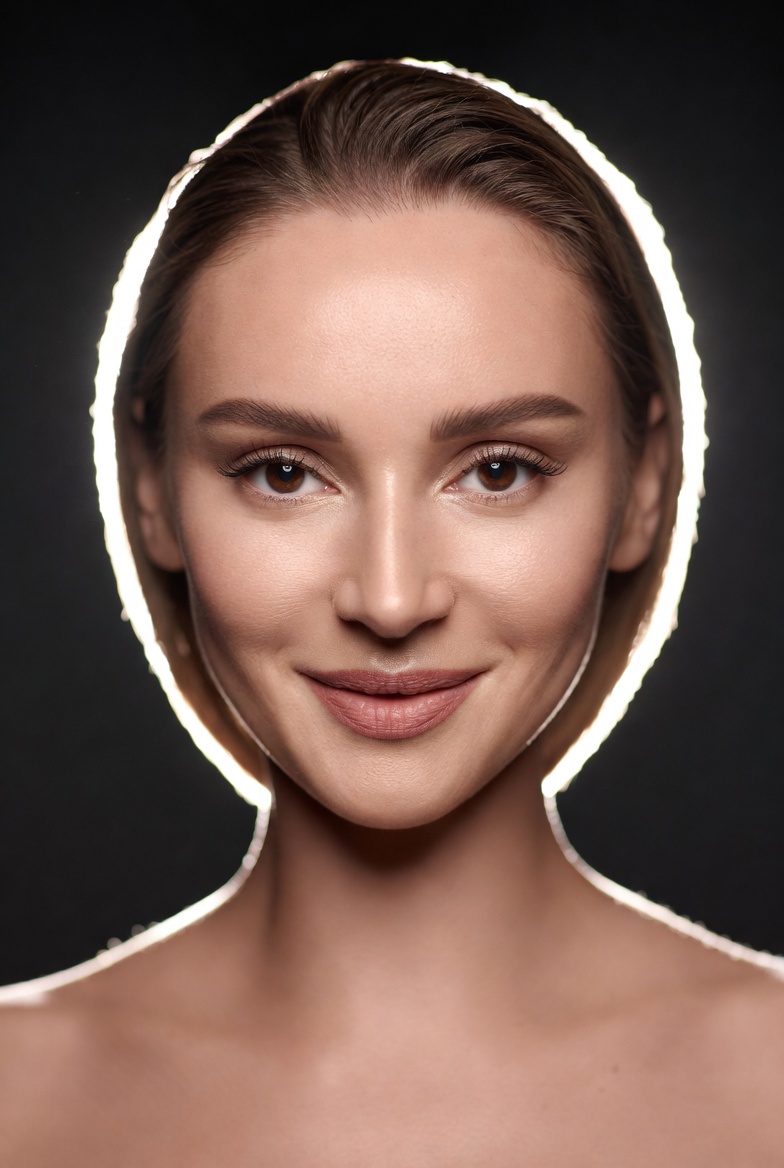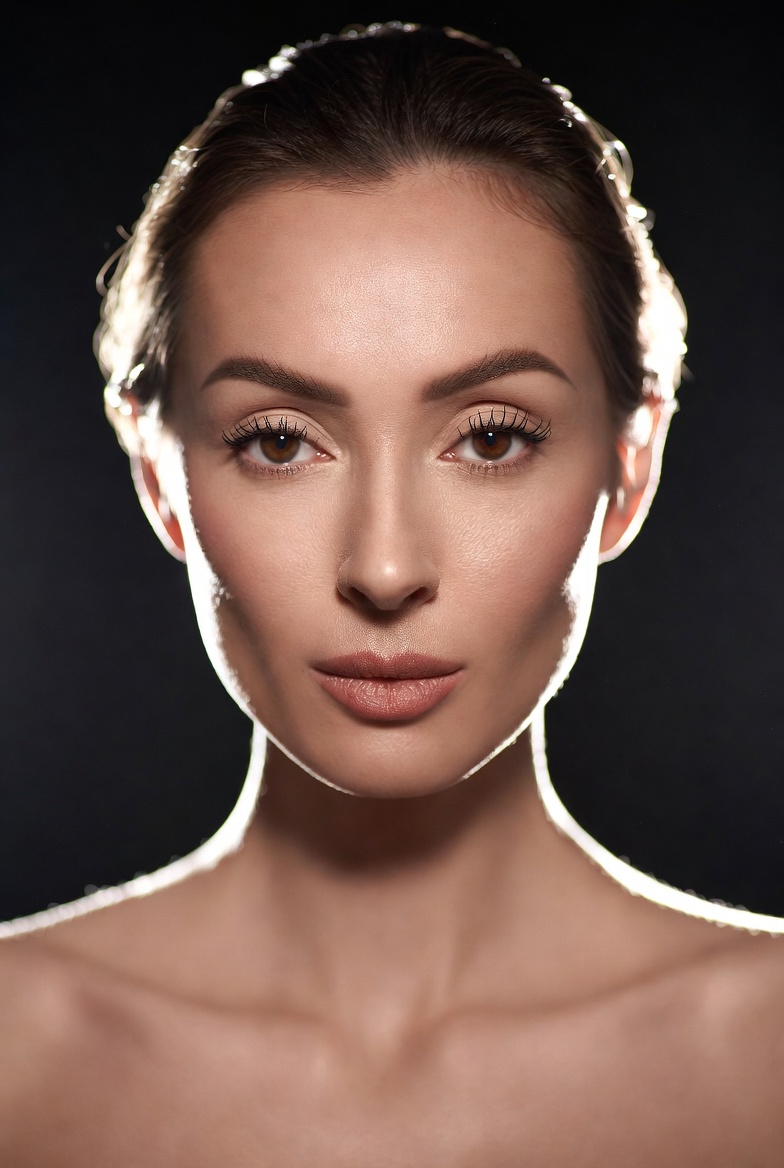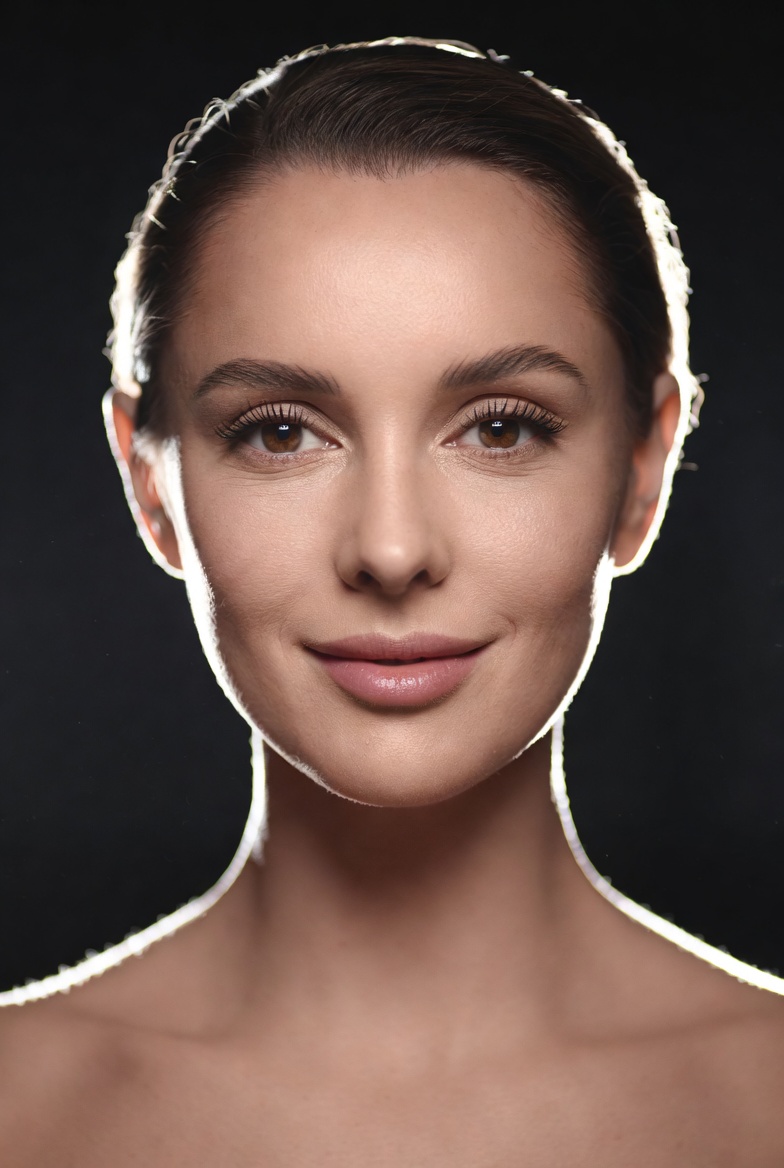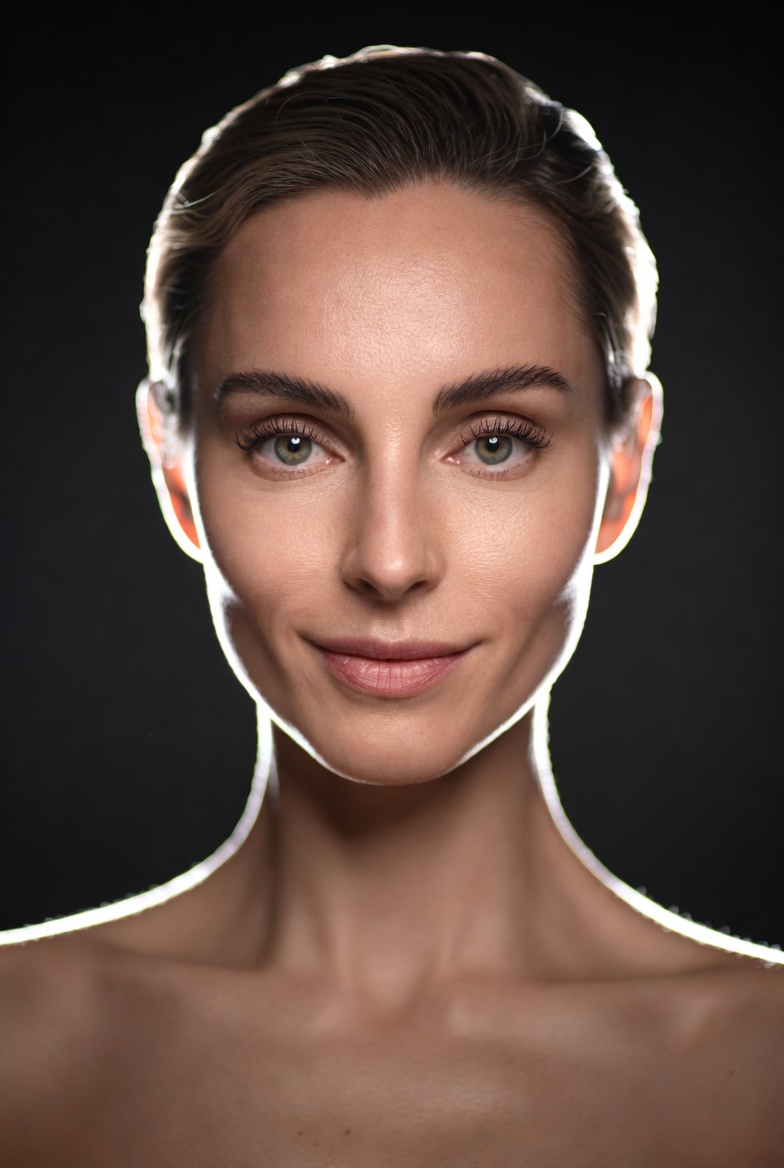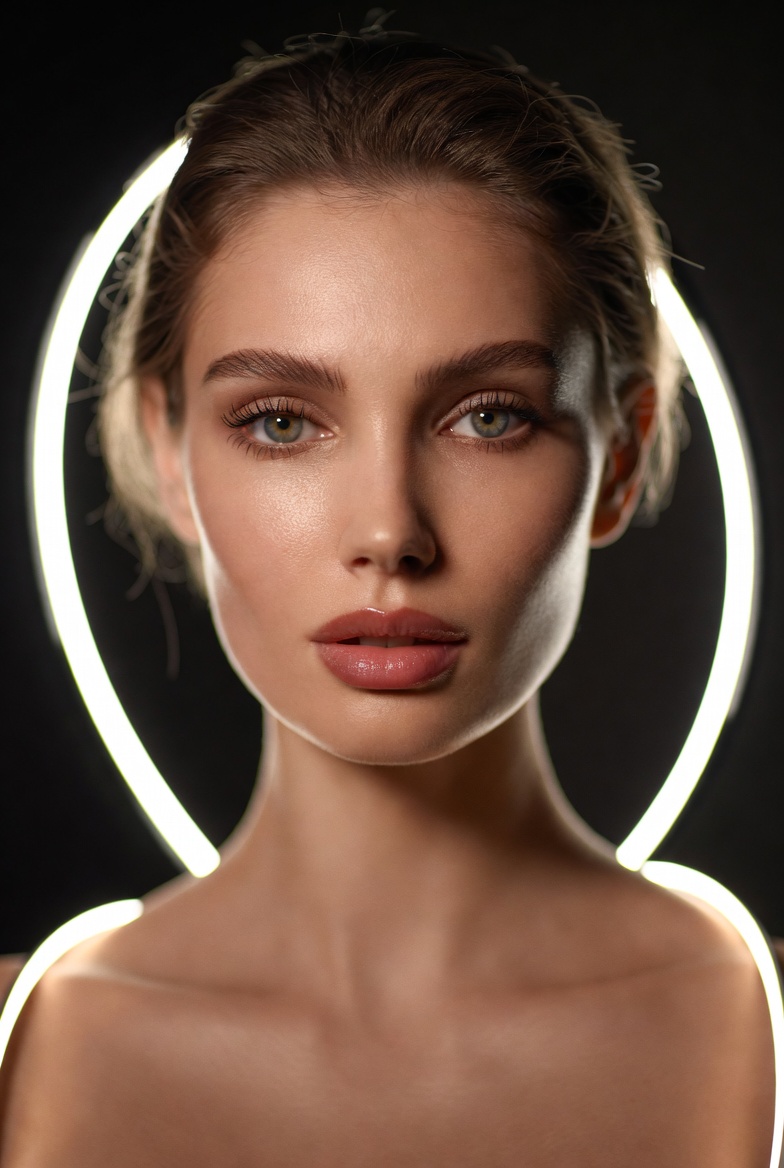
A cinematic portrait doesn’t have to rely on loud colors or dramatic sets to feel expensive. One of the most reliable ways to produce a premium, editorial-grade look in Midjourney v6, SDXL, or Flux is to build the image around rim light: a bright, controlled edge of light that gently separates your subject from a darker background. In this concept, the focus is a beautiful young adult woman (21+) with a calm, confident presence modern, polished, and unmistakably professional. The goal is realism you can almost touch: visible skin texture (without looking harsh), natural proportions, and the subtle imperfections that make a face feel like a real person rather than an airbrushed mannequin.
Rim lighting is especially useful for AI image generation because it provides strong visual structure. That clean outline helps the model understand the subject’s silhouette hair shape, shoulders, jawline while the soft key light preserves flattering detail across the face. The result is a portrait that reads as cinematic without being theatrical. You get depth, contrast, and separation, while keeping the mood refined and contemporary. To push it into “editorial” territory, we lean on realistic lens cues (an 85mm look, shallow depth of field), carefully described catchlights, and a gentle highlight roll-off so bright areas don’t clip into plastic gloss.
This style is practical for creators building profile images, brand visuals, character concepts, or portfolio-quality portraits. It’s also a great baseline prompt because you can swap wardrobe, background color, or mood words without breaking the lighting logic. If you want consistent, repeatable results that feel like a modern film still this is a strong foundation.
The AI Prompt
Why This Prompt Works
This prompt succeeds because it gives the model clear, non-conflicting constraints: who the subject is, where she is, how she’s lit, and how the camera “sees” her. The charcoal seamless backdrop reduces background clutter, improving facial fidelity and minimizing unwanted objects. Rim light is described as an outline on hair and shoulders, which reinforces clean separation and prevents the subject from blending into the background. The soft key light at a defined angle (30 degrees) guides facial modeling cheekbones and jawline gain shape without harsh shadows.
The “85mm lens look” and “f/2.0 shallow depth of field” are compositional anchors that typically produce flattering perspective and creamy background blur. Realism cues skin texture, pores, catchlights, highlight roll-off help prevent the overly smooth “CG” look and encourage the engine to render photographic nuance. Finally, “editorial color grading” and “high dynamic range” steer the image toward a finished, publishable aesthetic rather than a raw or overly saturated output.
Tips for Customization
To create variations without losing the cinematic structure, change only one major variable at a time. Swap the backdrop color (deep navy, warm slate, muted olive) while keeping the rim light and key light intact. Adjust mood with precise adjectives: “quiet determination,” “warm and approachable,” or “cool and composed.” For styling, keep it modern and non-busy structured blazer, turtleneck, simple jewelry so the model prioritizes the face.
If you want a different cinematic feel, modify the rim light color subtly: “neutral white rim light” for clean realism, or “cool rim light with faint blue tint” for a modern film vibe. For composition, shift to “tight head-and-shoulders crop” or “three-quarter portrait” while retaining eye-level framing for a natural, professional read. You can also vary the environment carefully: replace the studio with “minimal modern interior” but keep the same lighting language, so the results stay consistent and editorial.
Common Issues & Fixes
- Issue: Skin looks too plastic or overly smoothed.
Fix: Emphasize “realistic skin texture, fine pores, natural imperfections, soft highlight roll-off” and avoid words like “perfect” or “airbrushed.” - Issue: Rim light becomes too bright or creates a halo.
Fix: Add “controlled rim light, subtle edge highlight, no blown highlights” and keep the background dark but not pure black. - Issue: Background objects appear unexpectedly.
Fix: Reinforce “charcoal seamless backdrop, minimal studio, uncluttered background.” - Issue: Eyes look dull or unfocused.
Fix: Specify “sharp focus on the eyes, crisp catchlights, lifelike iris detail.” - Issue: Proportions drift (hands/neck/jaw).
Fix: Keep framing to head-and-shoulders or three-quarter, and restate “natural proportions, realistic anatomy.”
Frequently Asked Questions
Q1: Should I change the lens if I want a different vibe?
Yes. An 85mm look is flattering and classic; try “50mm lens look” for a slightly wider, more environmental feel while staying realistic.
Q2: How do I make it feel more like a movie still?
Add “subtle film grain, cinematic color grade, gentle contrast curve,” but keep the lighting directions consistent so the image doesn’t get chaotic.
Q3: Can I use this prompt for headshots for a brand profile?
Absolutely. Keep the wardrobe simple and professional, use a tighter crop, and stick to neutral grading for a clean, trustworthy look.