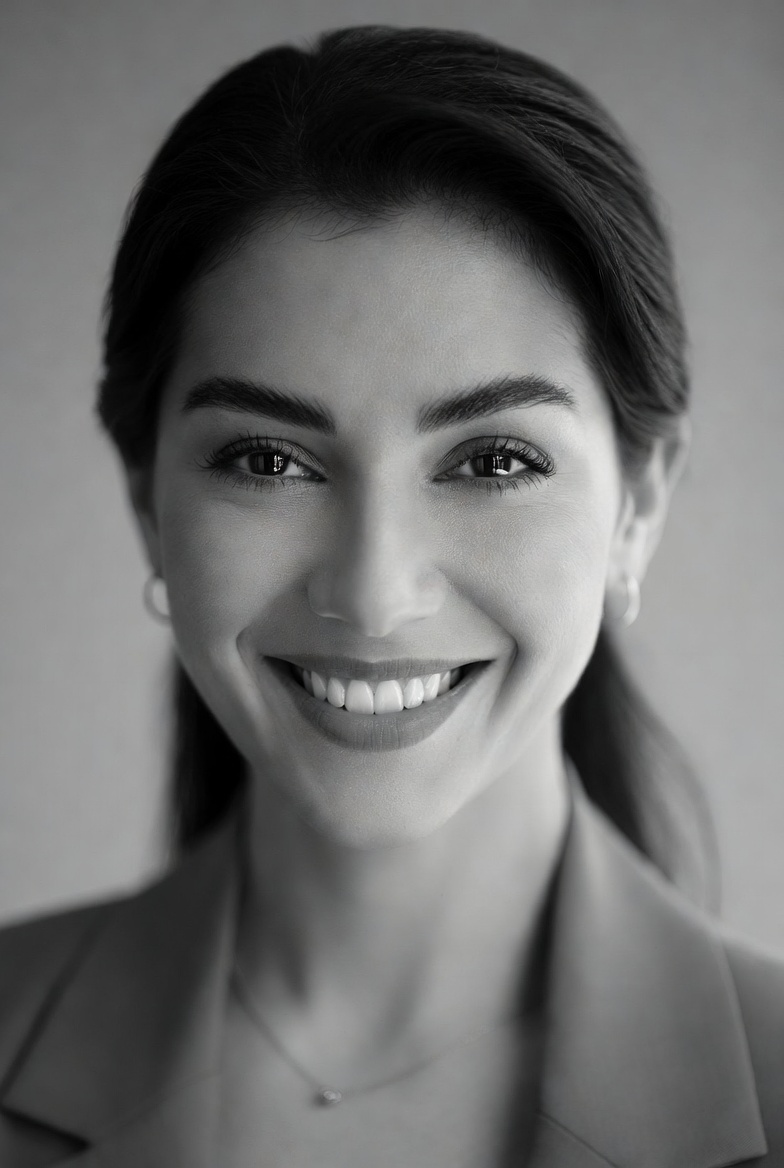
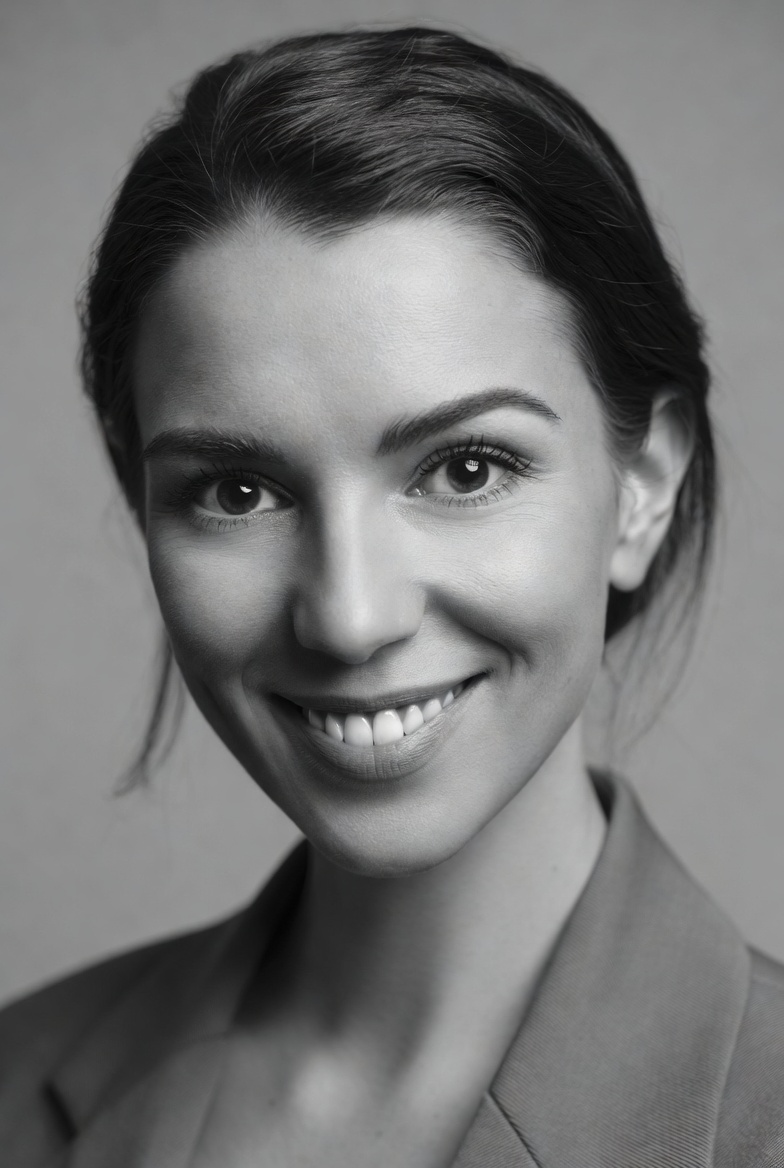
If you want an AI-generated headshot that looks like it came from a professional studio session, the fastest path is a clean background, clear lighting direction, and realism cues that prioritize believable skin and eyes. This page is built around a beautiful young adult woman (21+) with a friendly, confident presence modern, composed, and brand-ready. The look is intentionally timeless: neutral tones, uncluttered styling, and lighting that flatters without turning the face into a glossy plastic mask. In Midjourney v6, SDXL, and Flux, headshots can fail when the prompt is vague about lighting and framing. The solution is to speak like a photographer: define the softbox, the angle, the fill, and the lens perspective.
Softbox lighting is popular for a reason. It creates soft transitions between highlights and shadows, which helps AI models render facial structure more naturally. A large softbox at 45 degrees provides gentle shaping on the cheeks and jawline, while fill light controls contrast so the image stays clean and professional. Adding a faint rim light gives separation from the backdrop without turning the portrait into a dramatic cinema scene. When you also specify “tight head-and-shoulders framing” and an “85mm lens look,” you guide the model toward flattering proportions and reduce the chance of awkward cropping or strange body artifacts.
This headshot style is extremely useful for LinkedIn-style portraits, team pages, speaker bios, author photos, or any scenario where you need a believable, polished face-first image. It’s also a versatile base prompt: you can swap wardrobe (blazer, sweater, dress shirt), background color (warm beige, cool gray, soft white), and expression (warm, serious, approachable) while keeping the same technical scaffolding. That scaffolding is what gives you consistency repeatable studio realism instead of random “AI portrait” vibes.
The AI Prompt
Why This Prompt Works
The prompt works because it removes ambiguity. A “light gray seamless backdrop” eliminates busy environments that often confuse AI models and introduce unwanted objects. The lighting plan is explicit: a large softbox as key light shapes the face, fill light manages shadow density, and a faint rim light ensures the subject doesn’t blend into the background. These cues mirror real studio setups, making the render feel photographic rather than illustrative.
The camera specs reinforce realism and professional proportions. The “85mm lens look” is a classic portrait focal length that minimizes facial distortion, and “f/2.8” provides gentle background softness without turning the ears or hairline into mush. “Tight head-and-shoulders” limits the chance of anatomy errors that appear more often in full-body frames. Finally, the realism descriptors skin texture, pores, catchlights, highlight roll-off help produce natural detail and prevent waxy skin, over-sharpened edges, or flat eyes.
Tips for Customization
For brand alignment, adjust the backdrop and wardrobe first. A warmer backdrop (“soft beige seamless”) makes the portrait feel approachable, while a cooler gray reads more corporate and modern. Swap outfits to match your use case: “cream turtleneck” for creative leadership, “dark blazer and white top” for corporate, or “simple knit sweater” for casual professionalism. Keep accessories minimal to avoid strange jewelry artifacts.
To shift expression, use precise, non-suggestive direction: “gentle smile,” “calm and serious,” “confident and welcoming.” If you want a more editorial finish, add “subtle film grain, slightly lifted shadows” while keeping the overall grade neutral. For sharper detail, specify “tack-sharp focus on eyes” and keep the framing tight. If you need more diversity in appearance, change hair style (bob, long waves, sleek ponytail) and makeup (barely-there, matte, fresh glow) while maintaining the same lighting and lens cues for consistency.
Common Issues & Fixes
- Issue: Skin looks overly smooth or plastic.
Fix: Reinforce “realistic skin texture, fine pores, natural imperfections, soft highlight roll-off.” - Issue: Face looks flat with no dimension.
Fix: Keep “softbox key light at 45 degrees” and add “gentle shadow shaping on cheekbones.” - Issue: Hairline or ears get blurry.
Fix: Use “f/2.8” (not too wide) and add “sharp focus across face and hairline.” - Issue: Background shifts to a scene instead of a seamless.
Fix: Repeat “seamless studio backdrop, uncluttered background, minimal set.” - Issue: Eyes look lifeless.
Fix: Add “clean catchlights, lifelike iris detail, tack-sharp focus on eyes.”
Frequently Asked Questions
Q1: Can I use this for a corporate team page where consistency matters?
Yes. Keep the same backdrop color, lens look, and lighting plan; only vary wardrobe colors and expressions slightly.
Q2: How do I get a more dramatic headshot without losing professionalism?
Increase contrast gently and strengthen the rim light: “slightly deeper shadows, controlled rim light,” while keeping the softbox key.
Q3: What’s the best way to avoid weird accessories or artifacts?
Keep styling simple: minimal jewelry, solid fabrics, clean necklines, and a plain seamless background.