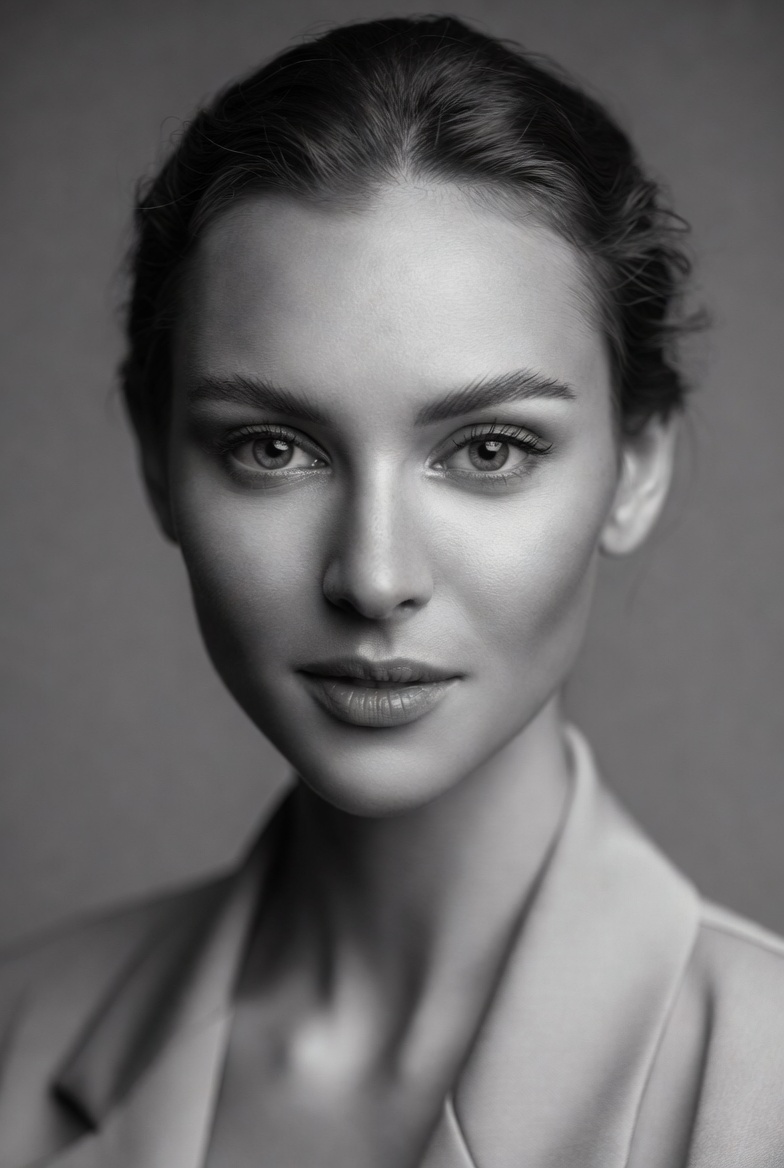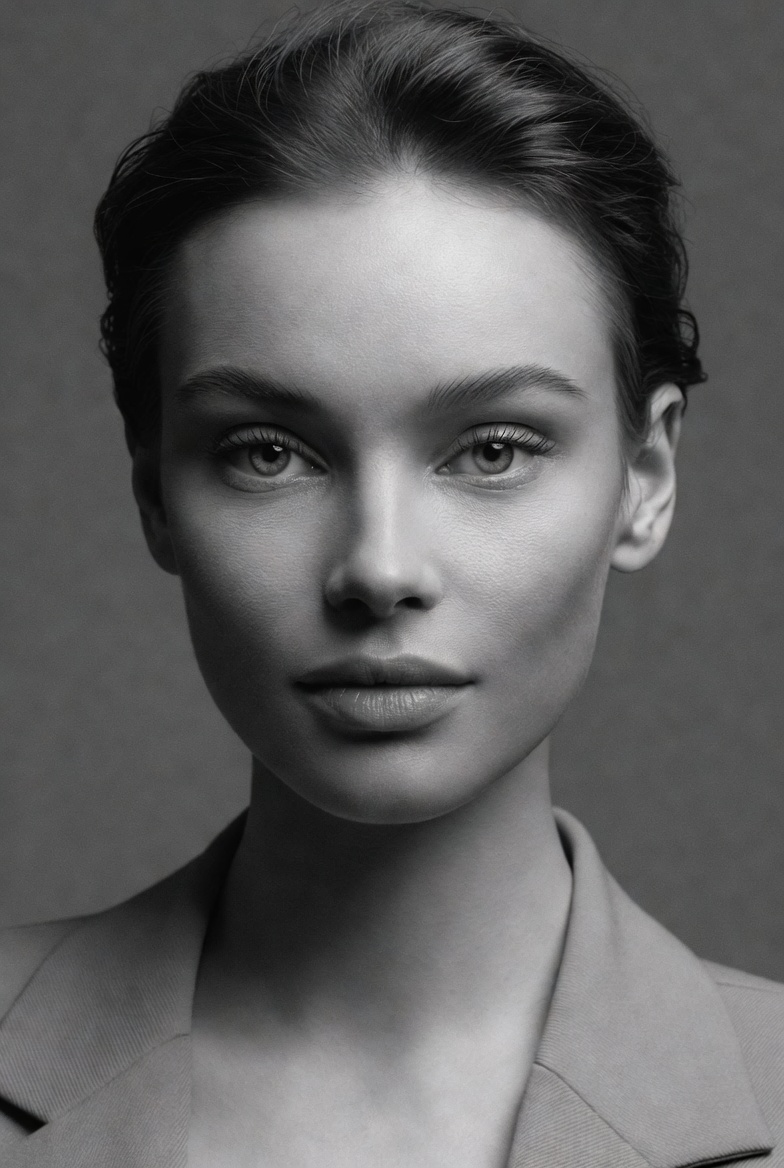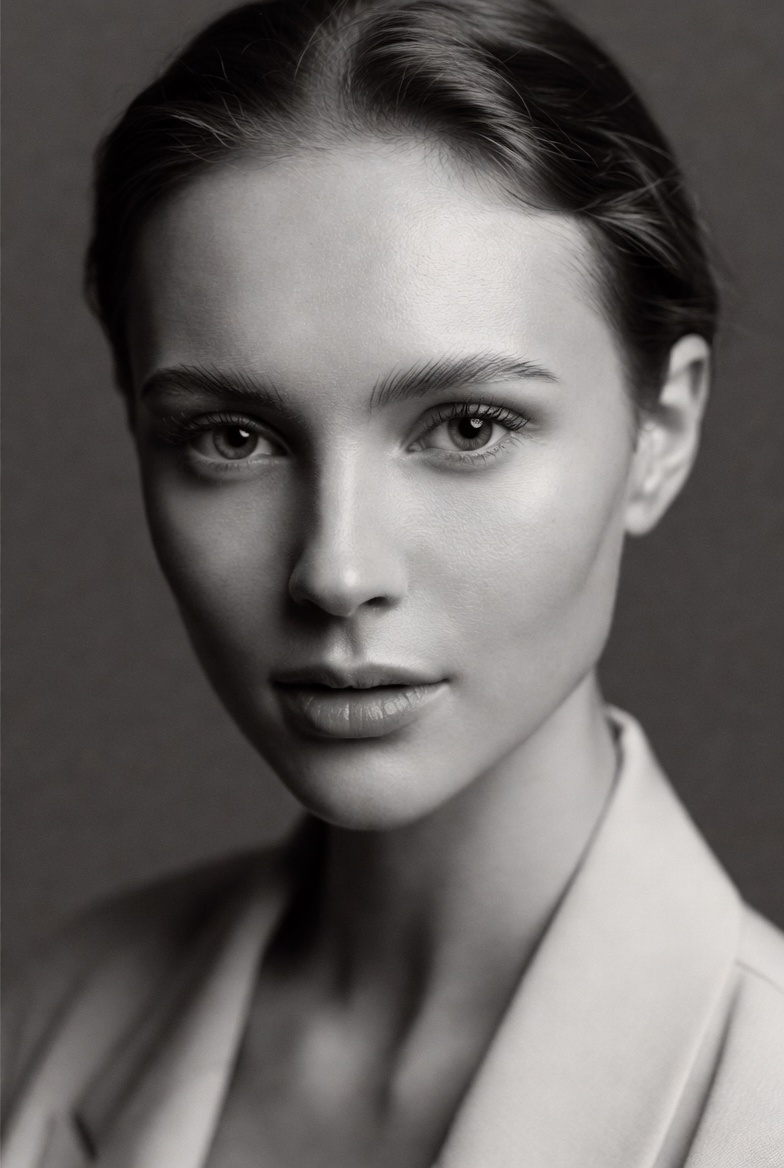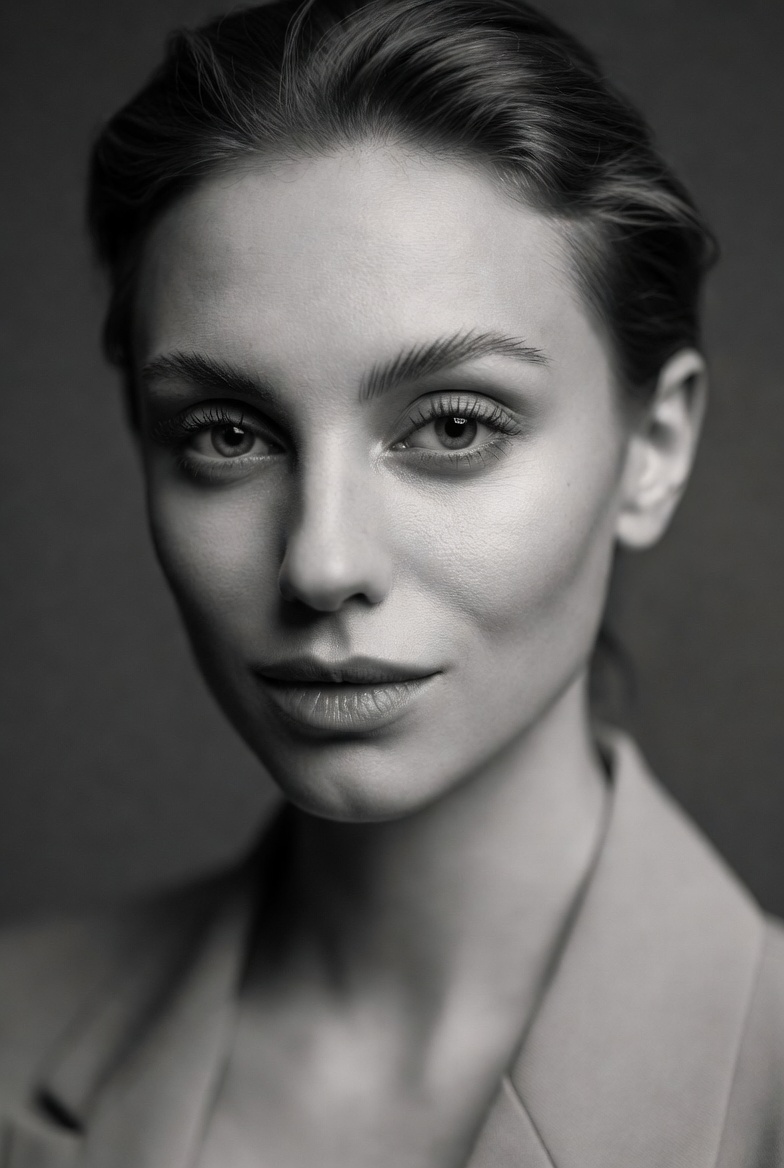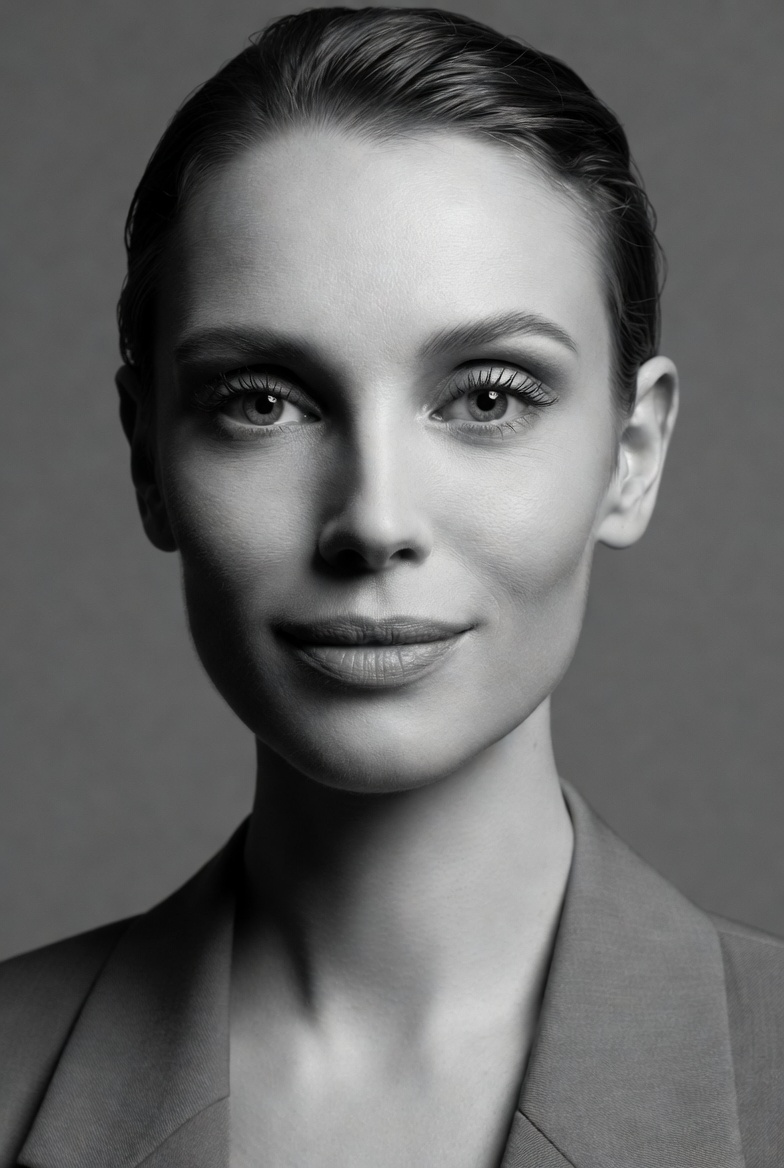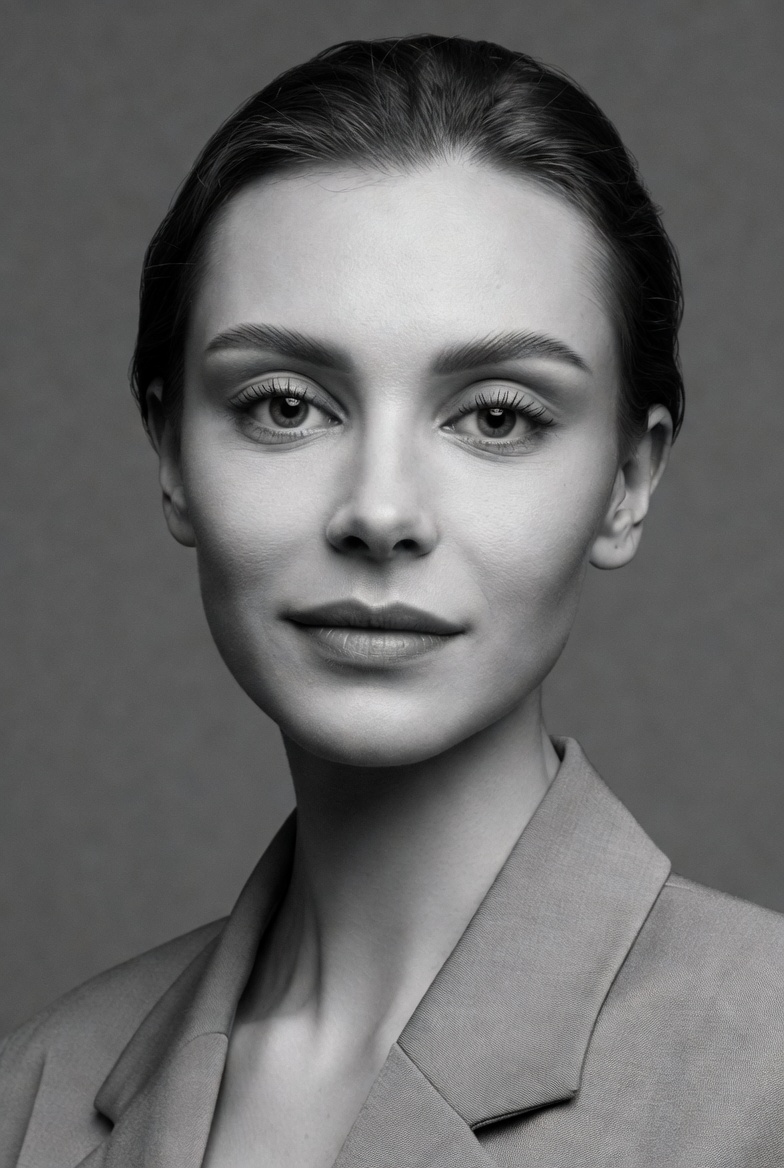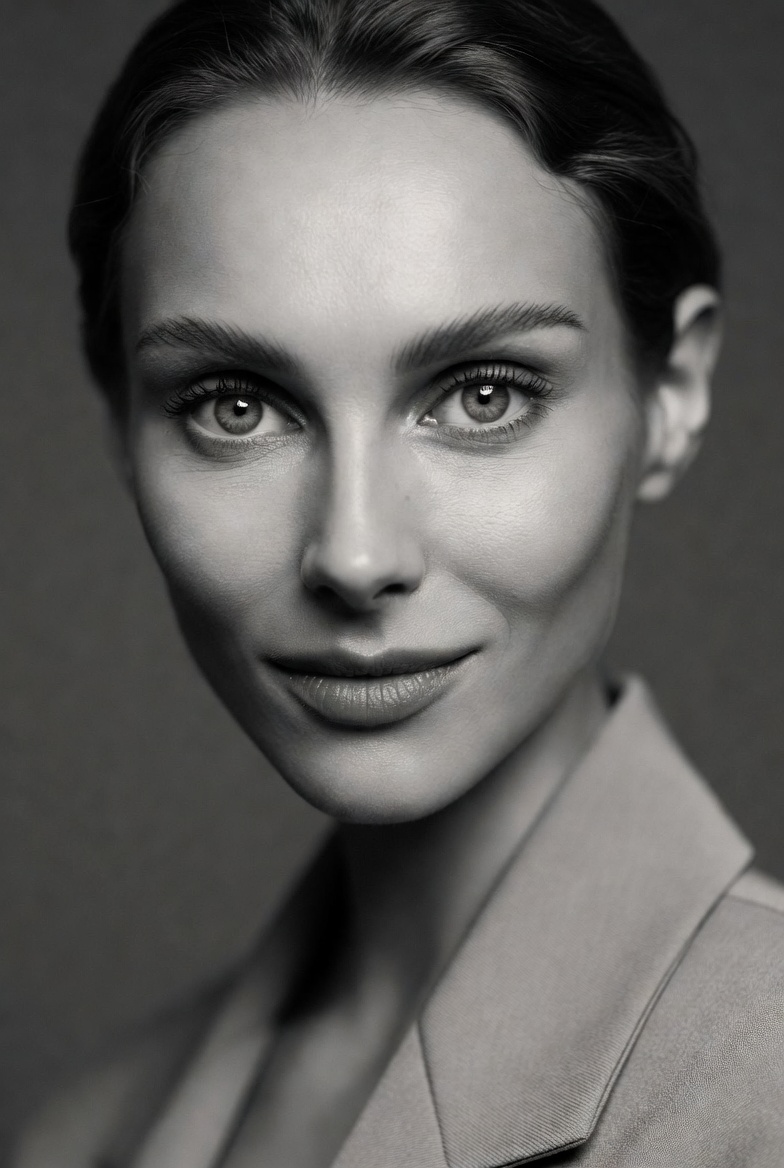
Color can be powerful, but it can also distract. When your goal is pure portrait craftsmanship shape, texture, emotion, and light monochrome is one of the most reliable ways to make an AI-generated image look like real editorial photography. This page is designed around a beautiful young adult woman (21+) captured in a clean studio portrait that feels timeless and modern at the same time. The image leans on subtle confidence: a calm expression, minimalist styling, and a tailored blazer that reads professional and contemporary without drawing attention away from the face.
Monochrome works exceptionally well in Midjourney v6, SDXL, and Flux because it reduces the model’s need to “solve” complex color relationships. That frees the generation to focus on structure: cheekbone contour, shadow transitions, hair detail, and the micro-textures that separate a photographic portrait from a synthetic render. The prompt encourages realistic skin visible pores, natural tonal variation, and a soft highlight roll-off so the face feels human rather than plastic. It also calls for crisp catchlights, because in black and white, the eyes are often the first place an image either comes alive or falls flat.
The lighting approach is deliberately editorial rather than theatrical. A soft directional key light provides shape, a touch of fill keeps shadows smooth, and a faint rim light adds gentle separation from a mid-gray seamless background. This setup is versatile: it can read as a magazine profile, a gallery portrait, or a high-end brand headshot depending on how you tweak wardrobe and expression. If you want consistent, professional results clean framing, realistic detail, and a refined mood monochrome is a smart, repeatable foundation.
The AI Prompt
Why This Prompt Works
The prompt is structured to keep the model focused on portrait fundamentals. “Monochrome” and “classic black-and-white tonal range” reduce color-driven artifacts and help preserve believable contrast. A “mid-gray seamless backdrop” gives a clean studio context and minimizes unwanted background elements. The lighting description is specific enough to guide facial geometry without forcing harsh shadows: directional key light shapes the face; light fill protects detail; rim light separates edges without turning into a glow effect.
The camera cues are also doing important work. The “85mm lens look” supports flattering proportions, while “f/2.4” balances separation and sharpness especially useful in black and white where softness can quickly feel muddy. “Eye-level head-and-shoulders” framing reduces anatomy errors and keeps attention on expression. Finally, realism cues skin texture, pores, catchlights, film grain, highlight roll-off push the result toward photographic authenticity rather than an overly polished, AI-smooth finish.
Tips for Customization
Start by customizing contrast and mood. For a softer, approachable editorial look, add “gentle low contrast, lifted shadows, delicate grain.” For a bolder, gallery-style portrait, use “stronger contrast, deeper blacks with preserved shadow detail.” You can also shift the era: “modern fashion editorial” for crisp clarity, or “classic film portrait” for a slightly softer rendering and more pronounced grain.
Wardrobe changes can reframe the portrait instantly. Swap the blazer for “simple black turtleneck,” “white button-down shirt,” or “structured coat” while keeping fabrics matte. For background, rotate neutrals: “light gray seamless” for a brighter feel, or “deep charcoal” for a more dramatic silhouette. Keep expression direction precise and professional: “warm, approachable smile,” “thoughtful calm,” or “focused confidence.” Avoid adding too many props monochrome portraits shine when the frame stays clean.
Common Issues & Fixes
- Issue: The image looks flat with weak separation.
Fix: Reinforce “faint rim light for separation” and keep the backdrop “mid-gray seamless” (not the same value as hair/clothes). - Issue: Skin becomes overly smooth or waxy.
Fix: Emphasize “realistic skin texture, fine pores, natural tonal variation, subtle grain.” - Issue: Eyes look dull in black and white.
Fix: Add “crisp catchlights, sharp focus on eyes, lifelike iris detail.” - Issue: Grain becomes heavy noise.
Fix: Specify “subtle film grain” and “clean tonal gradients,” avoiding “heavy grain.” - Issue: Contrast crushes shadow detail.
Fix: Use “preserved shadow detail, rich midtones, soft highlight roll-off.”
Frequently Asked Questions
Q1: Why does monochrome often look more realistic in AI portraits?
Because it reduces complex color decisions and helps the model prioritize shape, lighting, and texture key ingredients of photographic realism.
Q2: Can I use this prompt for a professional profile image?
Yes. Keep wardrobe simple, use a lighter gray background, and steer toward “friendly confident expression” for brand-ready results.
Q3: How do I keep hair detail sharp without harsh lighting?
Use “soft directional key light” and “f/2.4,” plus “defined hair strands” and a faint rim light for clean edge separation.