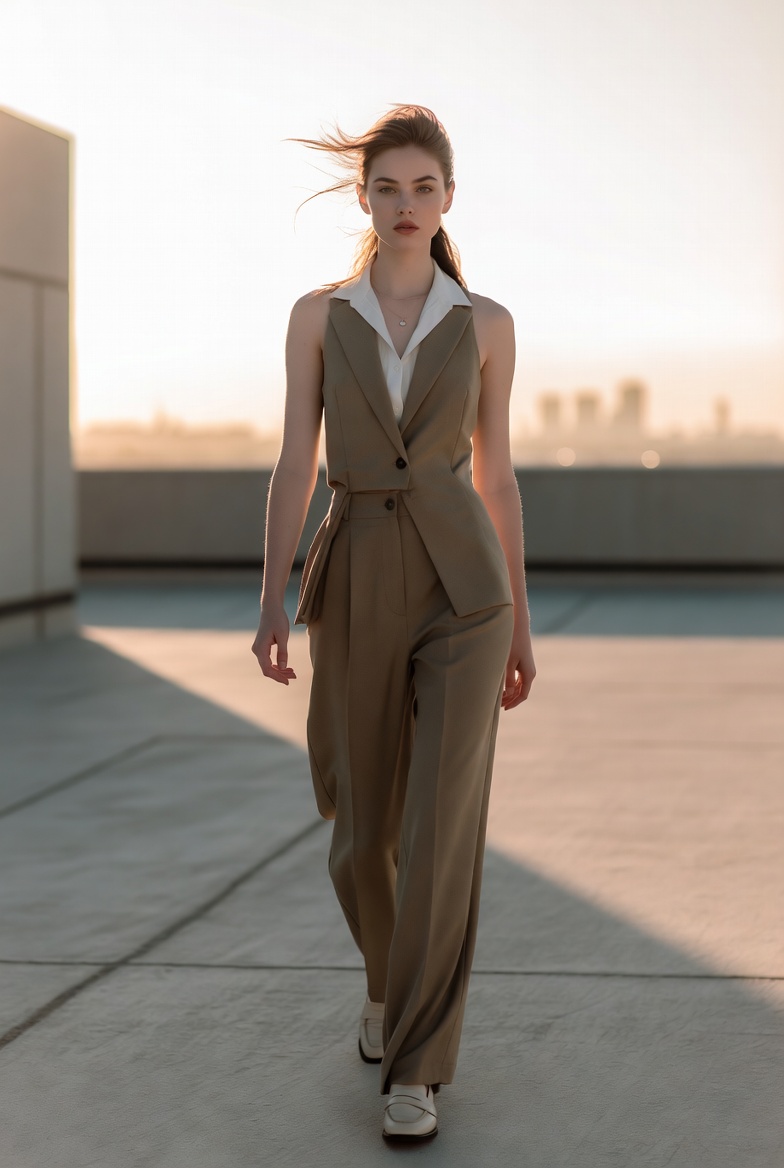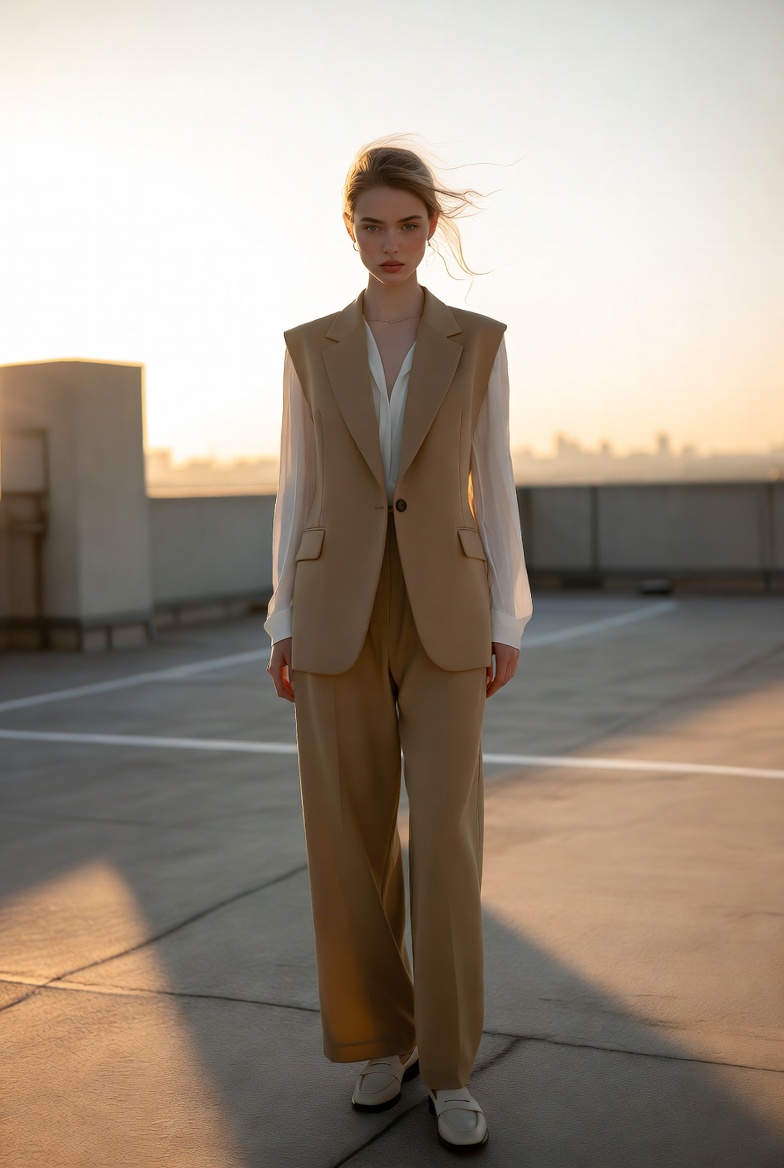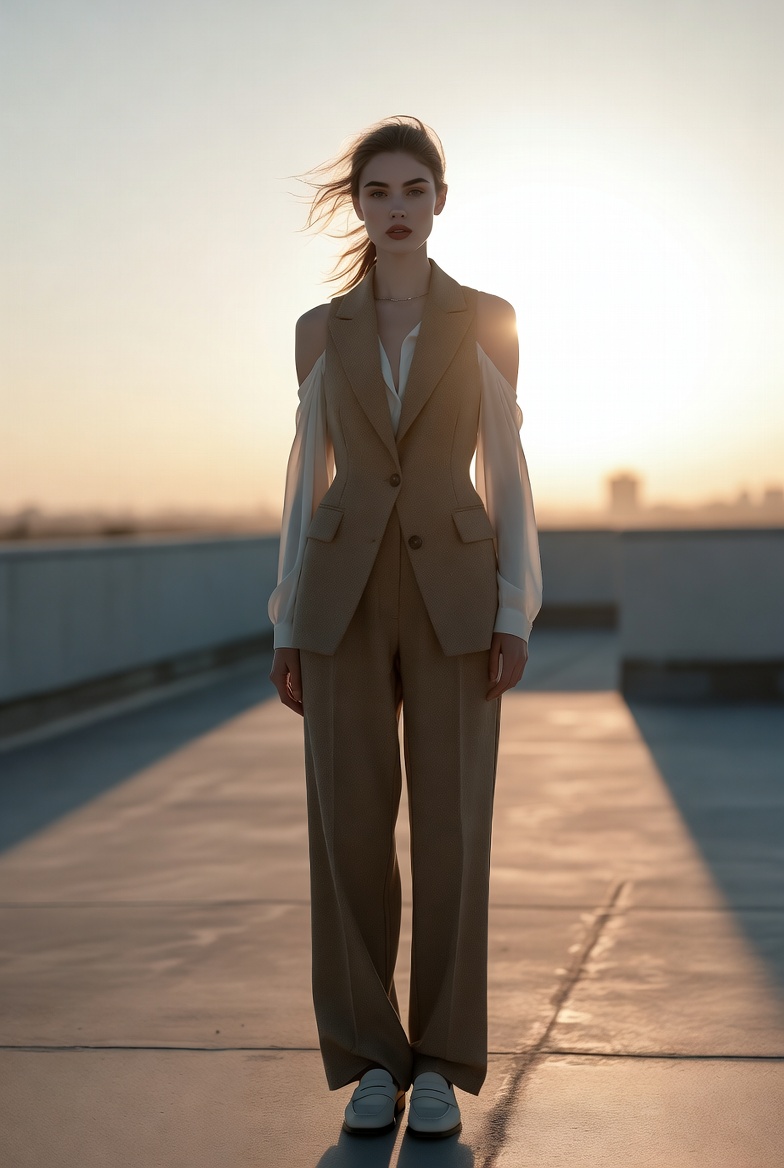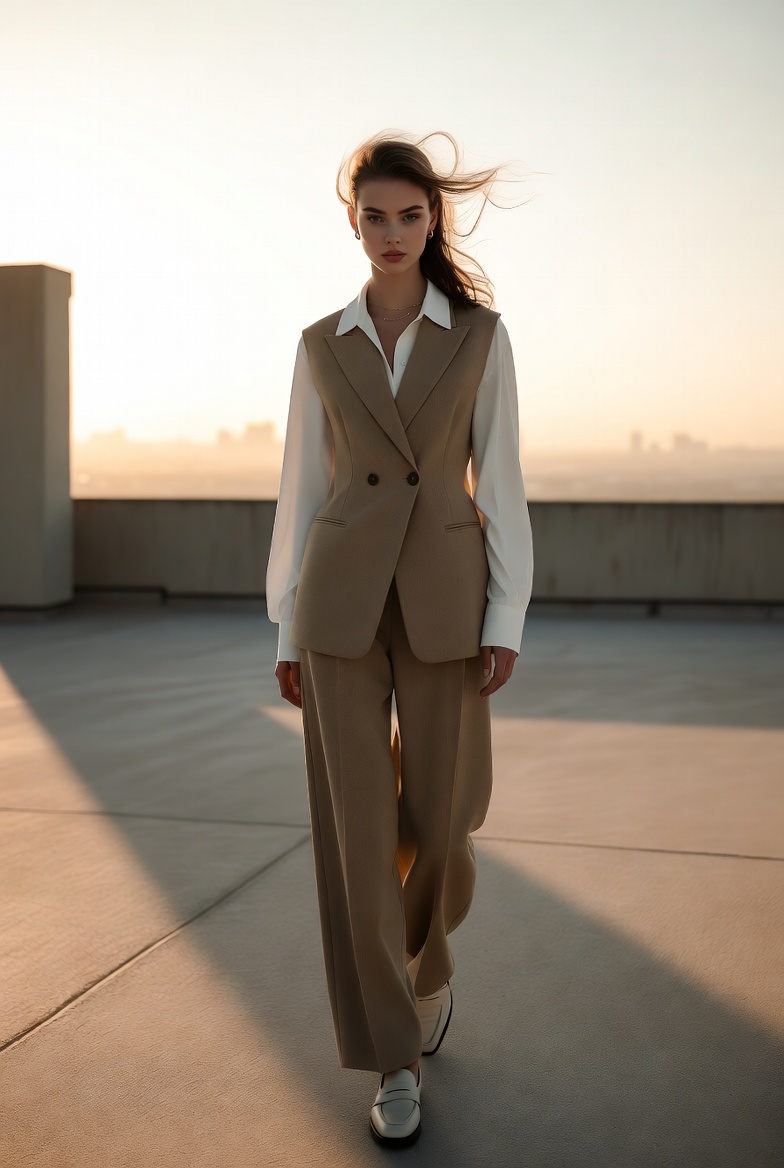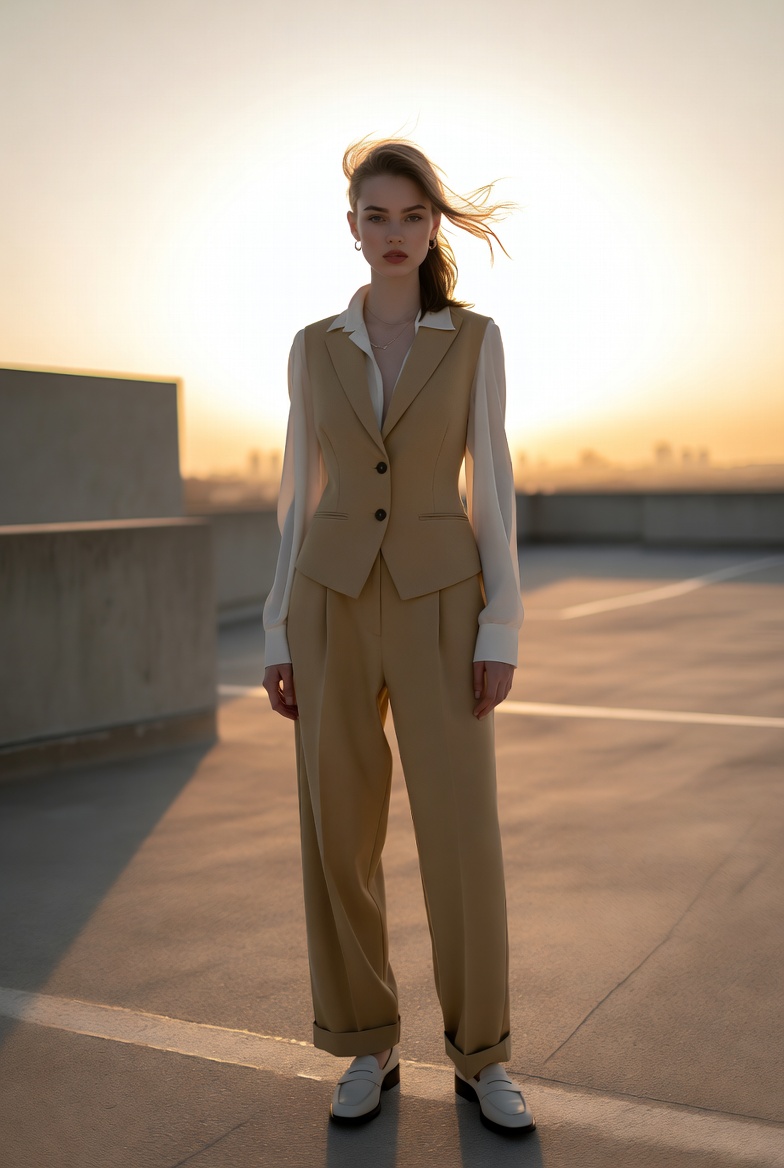
Golden Hour Rooftop Editorial Image of a Confident Young Woman
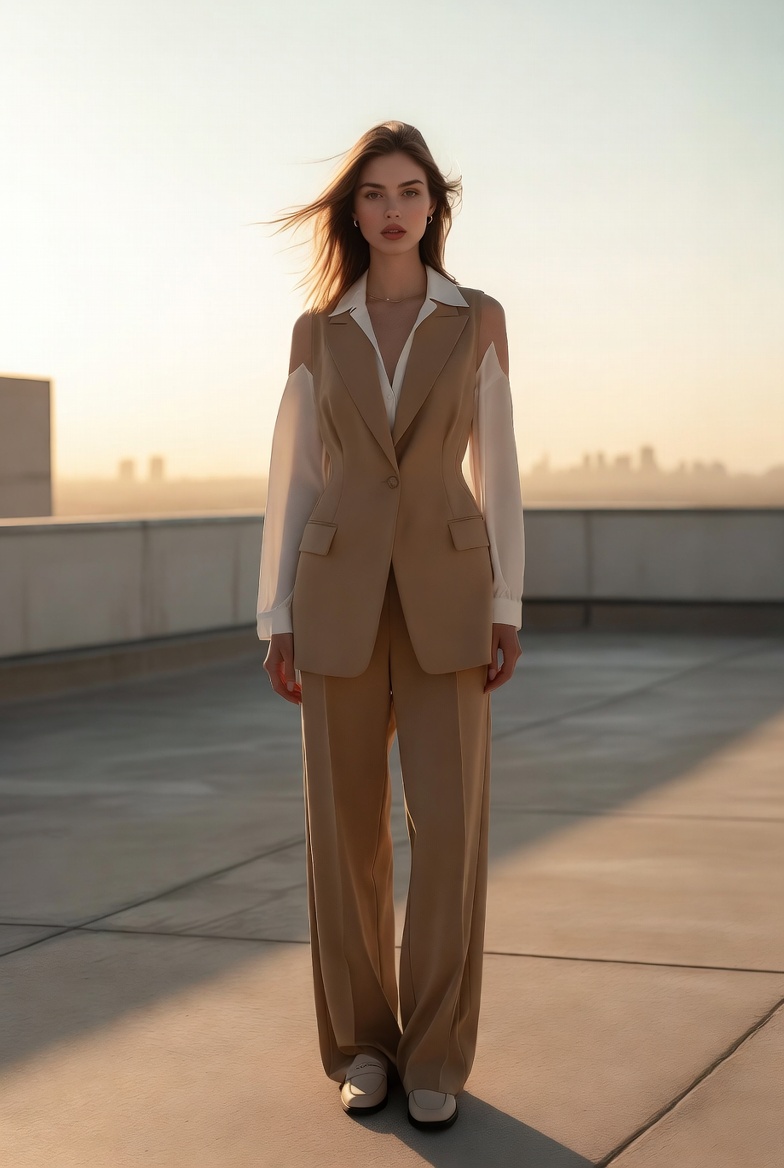
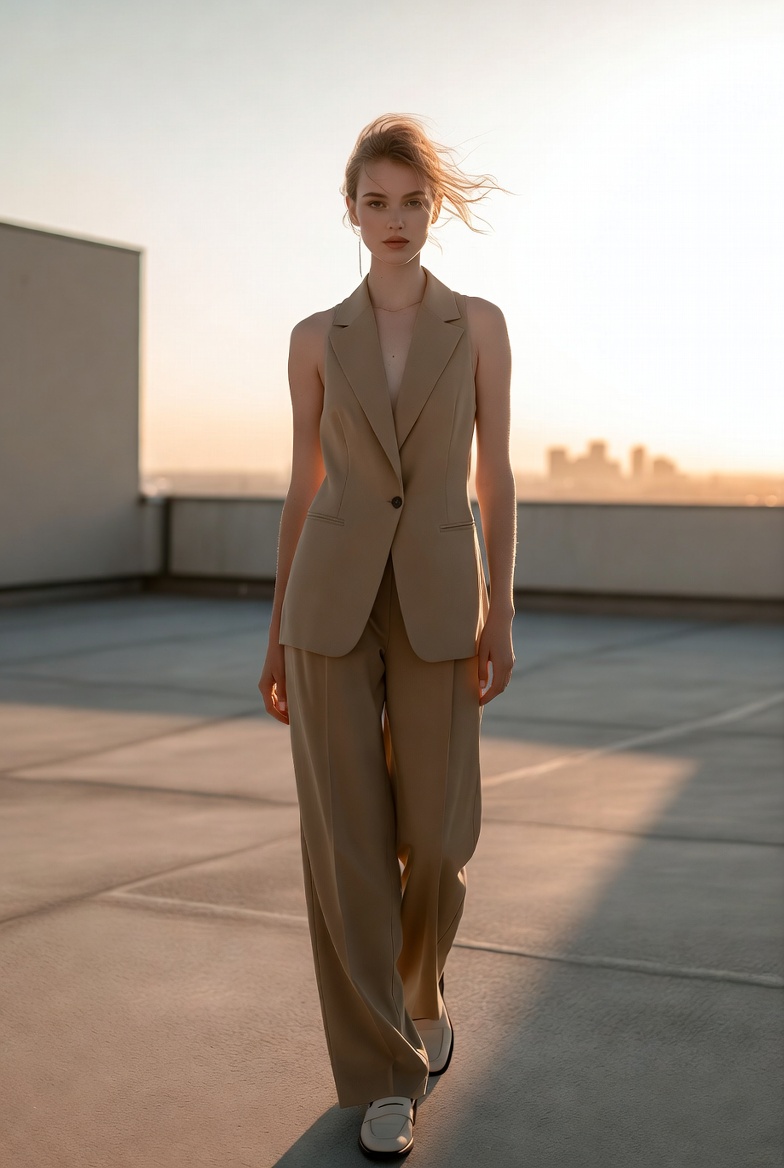
Golden hour is a cheat code for photorealism if you control it. Warm, low-angle sunlight naturally produces flattering highlights, gentle shadow edges, and a cinematic glow that AI models can translate into something that feels undeniably photographic. In this concept, we’re building a high-end editorial image around a stylish young woman in her early twenties (21+), standing on a minimalist rooftop terrace as the sun drops toward the horizon. Her presence is modern and self-assured: relaxed posture, calm expression, and a wardrobe that reads as refined rather than flashy. The atmosphere is clean and architectural simple concrete surfaces, subtle metal railings, and a distant city skyline softened by heat haze and depth-of-field blur.
This style works so well for Midjourney v6, SDXL, and Flux because it relies on big, readable cues: directional sun, natural rim light, and believable background depth. Rooftops create strong geometry and uncluttered negative space ideal for AI composition while the skyline adds context without introducing chaotic detail. When you specify a warm rim light on hair and shoulders, you’re guiding the model toward a realistic edge separation that instantly elevates the image. Add skin texture cues (pores, micro-contrast, subtle imperfections) and the portrait stops looking like a polished render and starts looking like a real editorial photo.
Wardrobe choice is where you keep the image professional and timeless. A tailored sleeveless vest paired with high-waisted trousers can look fashion-forward while staying modest and structured. Neutral tones sand, oat, stone pair beautifully with golden sunlight, keeping skin tones natural and preventing the scene from becoming overly saturated. Accessories should be minimal: a slim watch, small earrings, and maybe a delicate chain necklace that catches a single highlight. Hair should have a touch of movement nothing extreme just enough to suggest a breeze and add realism. The overall mood is confident and aspirational, like a luxury brand campaign that values calm power over drama.
Use the master prompt below as your baseline. It’s designed to create a full editorial image (not just a portrait): strong lighting, environment depth, realistic textures, and a cohesive fashion-forward composition across Midjourney v6, SDXL, and Flux.
The AI Prompt
Why This Prompt Works
Golden hour lighting is naturally forgiving, but the prompt ensures it stays realistic rather than “glowy.” By stating “warm low sun” and “soft directional shadows,” you get controlled contrast and believable shadow direction. “Golden rim light” is the separation cue that prevents the subject from blending into the background, especially on neutral rooftops. The rooftop terrace gives the model simple, straight lines great for perspective stability while “distant city skyline softly blurred with atmospheric haze” adds depth without forcing the model to render countless tiny windows perfectly.
The camera language is also intentional. A 50mm lens maintains realistic proportions and keeps the environment present, making this an “image prompt” rather than a tight portrait. f/2.8 provides enough depth of field to keep the subject crisp while letting the skyline melt into a cinematic background. High shutter speed (1/800s) fits bright golden-hour conditions and helps freeze any breeze movement in hair or fabric. Finally, realism cues like pores, flyaways, and color accuracy push the output toward editorial-grade photography instead of overly smooth AI aesthetics.
Tips for Customization
To create variations that still feel like the same shoot, keep the rooftop + golden-hour lighting locked and adjust styling in small, controlled ways. Swap the vest color to “stone gray” or “soft olive” for a new palette that still harmonizes with warm sun. Replace loafers with “minimal white sneakers” for a modern street-editorial feel, or change the blouse to “light knit turtleneck” for a cooler-season campaign look. If you want stronger cinematic mood, add “slightly lifted blacks, subtle film grain,” but avoid pushing saturation too hard golden hour can quickly become orange.
You can also vary composition: switch to “three-quarter framing” for a more portrait-led editorial, or introduce a simple prop like “a slim leather tote held at her side” to suggest lifestyle without clutter. For a different skyline vibe, specify “coastal city skyline” or “modern glass high-rises,” but keep it “softly blurred” to avoid architectural artifacts. The best series comes from consistent lighting language and lens choice, then gentle changes in wardrobe and pose.
Common Issues & Fixes
- Sunlight looks too harsh or blown out: Add “controlled highlights, soft highlight roll-off” and reduce flare by specifying “subtle lens flare only.”
- Background skyline becomes messy: Reinforce “distant skyline softly blurred, minimal detail, atmospheric haze” to keep it clean and believable.
- Skin tones shift too warm: Add “natural skin tone accuracy, neutral shadows” to prevent orange casts while still keeping golden highlights.
Frequently Asked Questions
- Can I make this look more like a luxury brand campaign?
Yes add “luxury fashion campaign aesthetic, immaculate tailoring, refined styling,” and keep the background minimal so the wardrobe and lighting read premium. - How do I get more dramatic rim light?
Specify “stronger golden rim light along hair and shoulders” and position the sun “just behind the subject,” while keeping “controlled highlights” to avoid blown edges. - What if I want a cooler, less warm version of golden hour?
Keep the low sun direction but shift grading: add “slightly cooler white balance, warm highlights with cooler shadows” for a modern, balanced editorial tone.