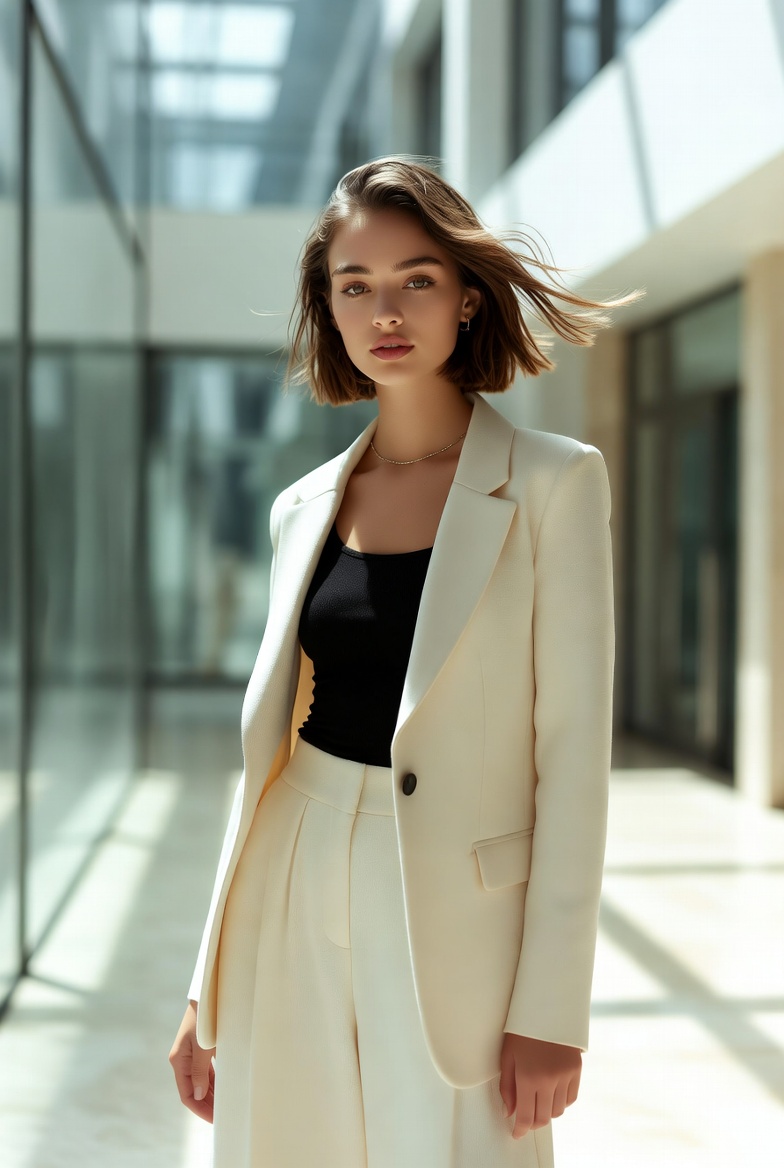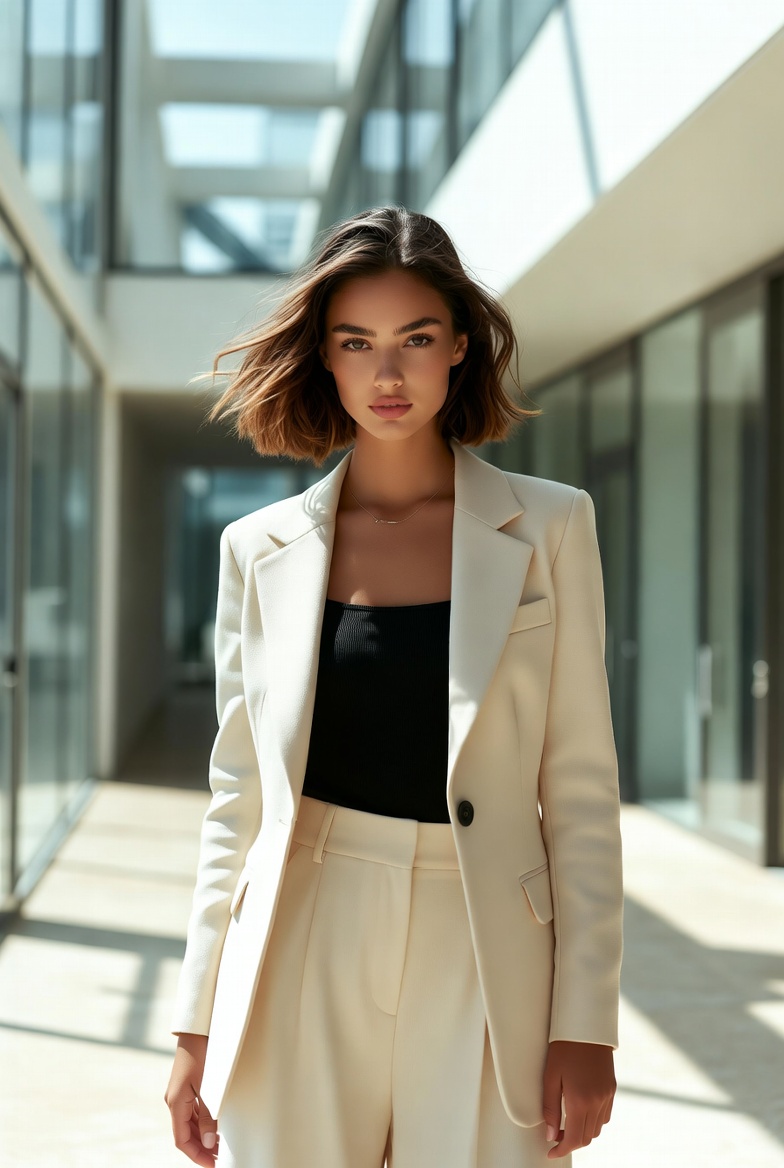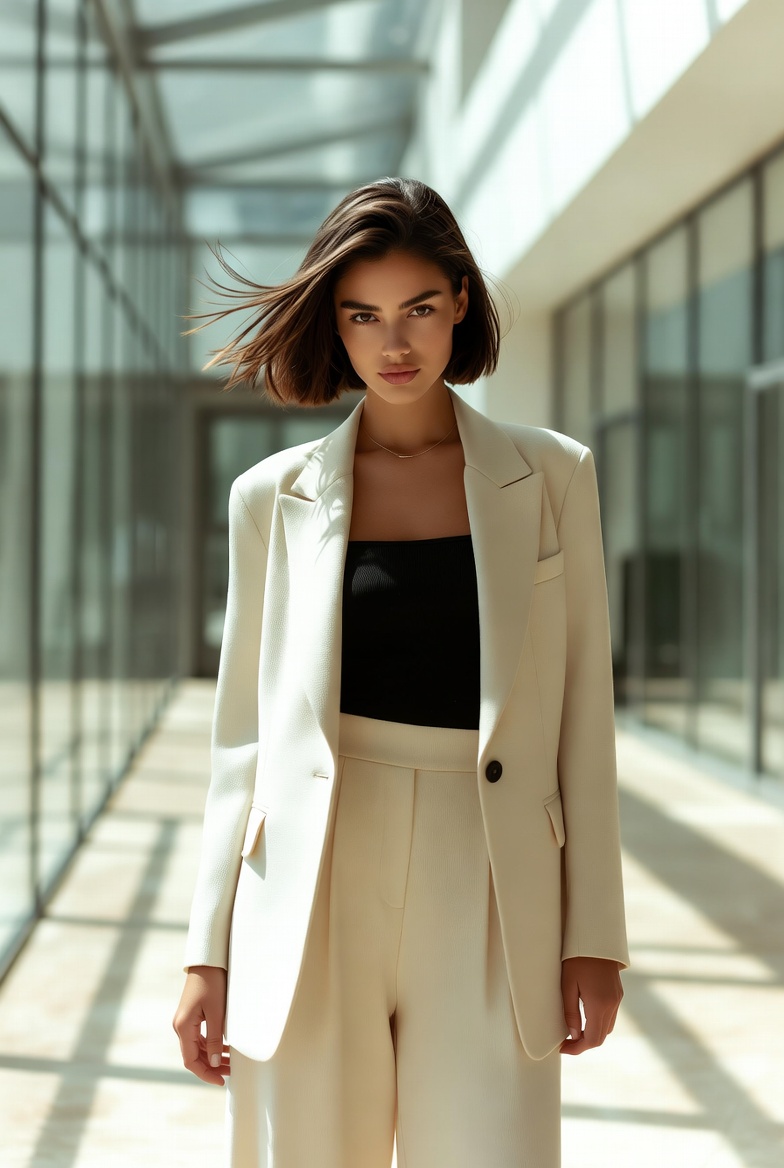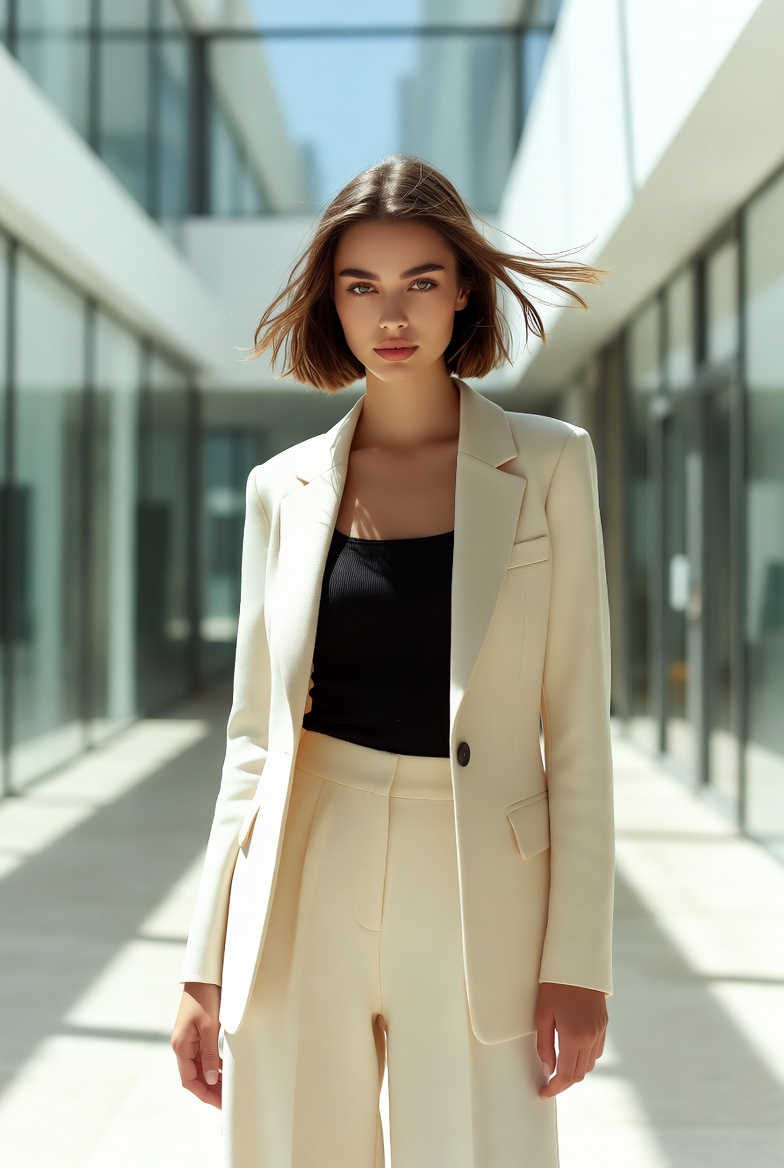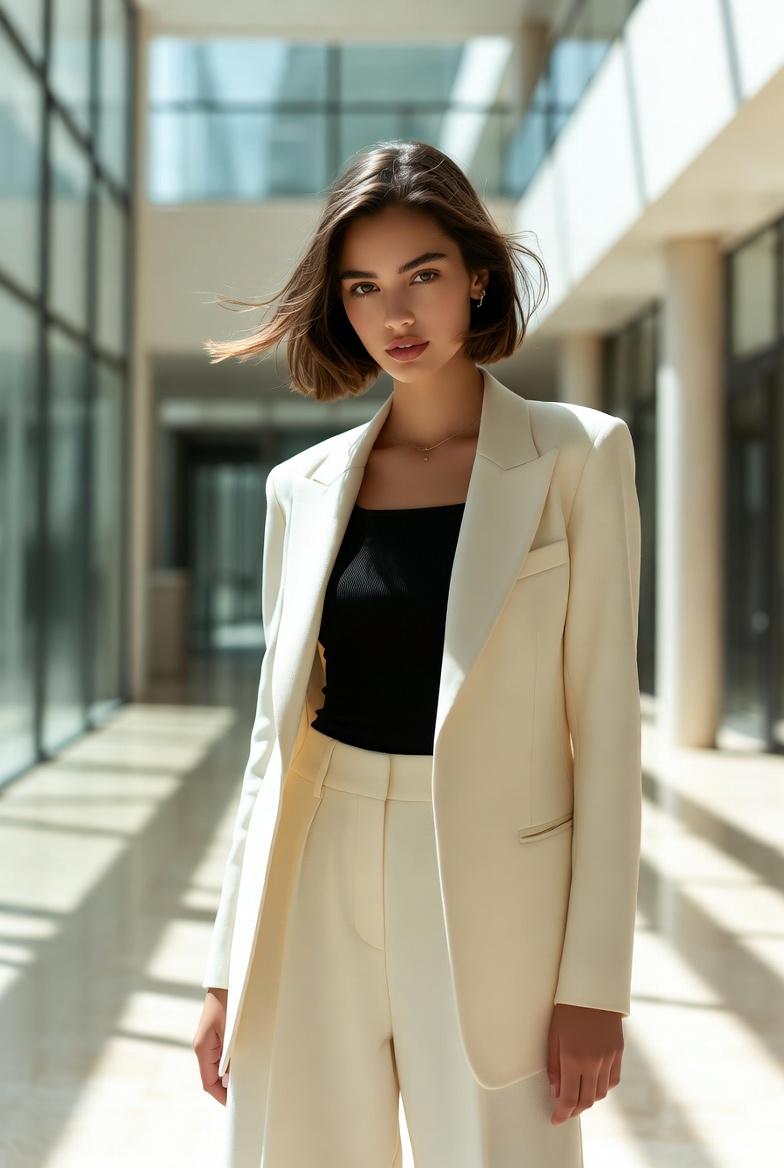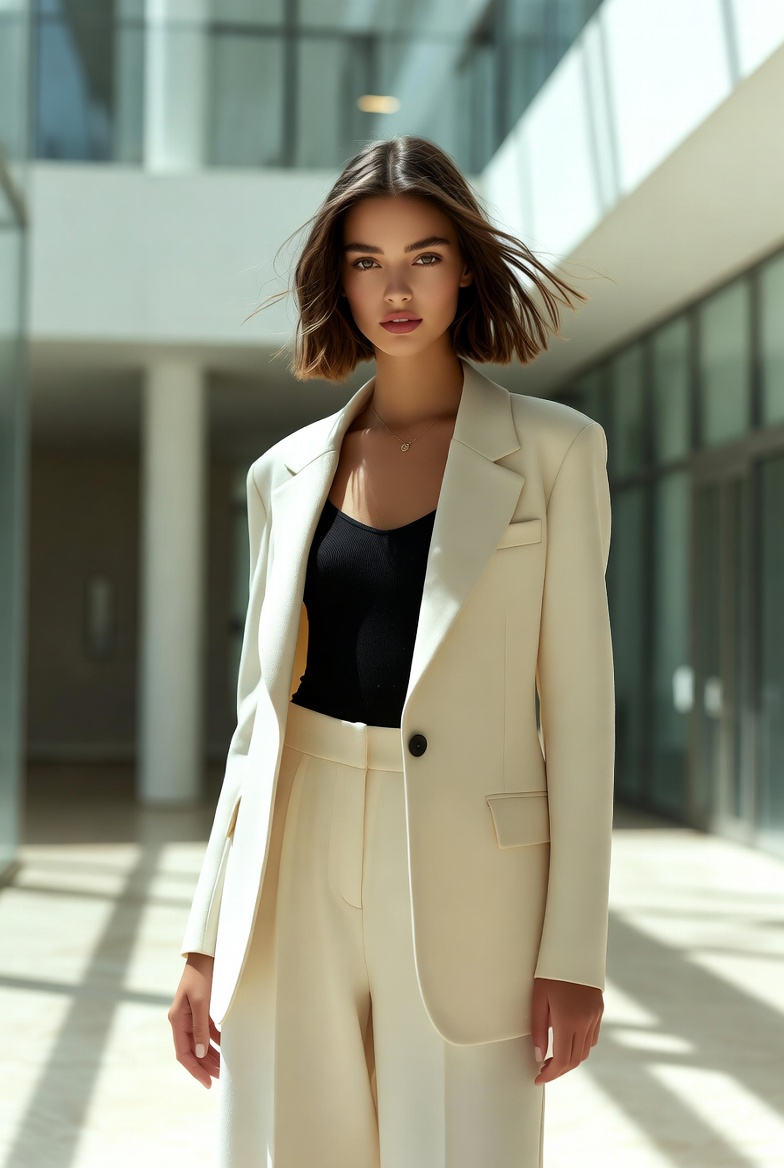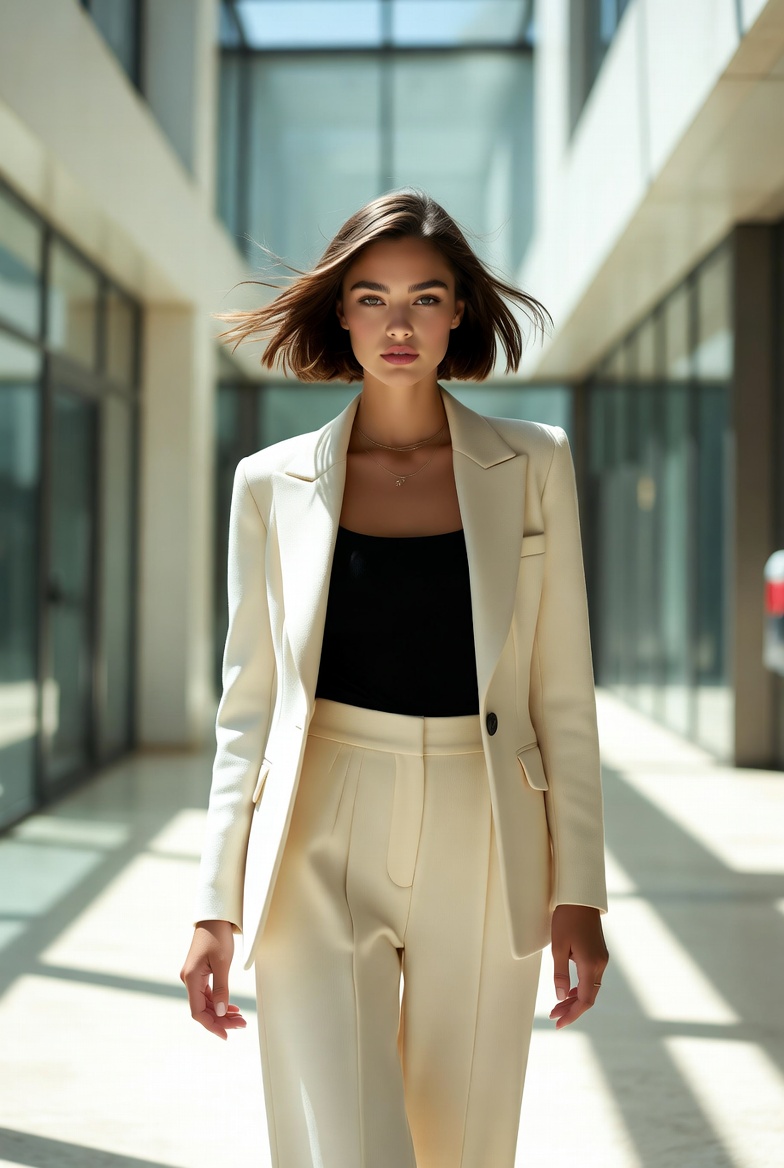
Sunlit Glass Atrium Editorial Portrait of a Stylish Young Woman
A modern glass atrium is one of the most reliable environments for producing premium, photorealistic portraits especially when you want the subject to feel confident, contemporary, and editorial without leaning into anything provocative. Picture a stylish young woman in her early twenties, clearly 21+, standing in a sleek architectural space where daylight pours through tall glass panels and frames her with clean, natural highlights. The mood is calm, refined, and quietly powerful like a fashion feature shot for a modern design magazine. This setting flatters skin realism because the light is broad and directional at the same time: bright enough to reveal natural pores and fine facial detail, but soft enough to avoid harsh contrast that can make AI generations look plastic.
What makes this style so effective for Midjourney v6, SDXL, and Flux is the combination of simple geometry and believable light behavior. Glass, stone, and brushed metal surfaces create gentle reflections and subtle gradients that AI models can interpret as “real-world” cues. A minimal, tailored wardrobe enhances the editorial tone, keeping the focus on facial expression, posture, and texture rather than busy patterns. When the subject’s presence is modern and self-possessed chin relaxed, shoulders open, gaze composed the image reads as authentic confidence. Add in lens choices that naturally compress perspective, and you get realistic proportions and a flattering facial structure without distortion.
This page gives you one universal master prompt designed to produce that clean, high-end look: crisp realism, editorial styling, natural skin texture, and an airy architectural mood. Use it as a dependable baseline, then tweak small elements like time of day, color palette, or background material to generate a full series that still feels cohesive and premium.
The AI Prompt
Why This Prompt Works
This prompt is built around clarity: a single subject, a controlled environment, and lighting that reads as physically plausible. The glass atrium provides large, natural softboxes (the window walls) that produce smooth highlight transitions across the face ideal for photoreal skin texture. Specifying an 85mm portrait lens and a wide aperture helps the models render flattering compression and separation from the background, which reduces the “flat cutout” look that can happen in busy locations. The wardrobe choices are intentionally minimal and professional: a tailored blazer and wide-leg trousers create clean lines that match the architectural setting and keep the image editorial.
Technical cues like “tack-sharp focus on the eyes,” shutter speed, ISO, and “full-frame DSLR” push the render toward a believable photographic capture rather than an illustration. Mentioning subtle reflections and pale stone flooring encourages coherent light bounce and realistic shadow density. Finally, the color direction clean neutrals with slight warmth helps prevent oversaturated tones that can make faces look synthetic. The result is a consistent, premium portrait baseline that’s easy to iterate without losing realism.
Tips for Customization
To generate a cohesive series, change only one variable at a time. For a cooler, more architectural feel, shift the grading toward cooler whites and add “overcast daylight” while keeping the same lens and pose. For a luxury-brand vibe, swap the cream blazer for a charcoal tailored suit and add “matte silk blouse” to introduce richer fabric texture without busy patterns. If you want more energy, change the posture to “walking mid-stride” while maintaining the eye-level angle this adds movement without compromising professionalism.
Background tweaks can also deliver variety fast: replace pale stone with “polished concrete” for a modern-industrial mood, or add “thin indoor olive trees in planters” for a lifestyle editorial touch. Keep the atrium and daylight consistent so the set still feels like the same location. If you need more detail fidelity, increase the emphasis on “natural skin texture” and “fine flyaway hairs,” and consider narrowing the prompt to “soft rim light along hairline” for cleaner subject separation.
Common Issues & Fixes
- Skin looks overly smooth or waxy: Add stronger realism cues like “visible pores, fine vellus hairs, natural micro-contrast,” and keep lighting “soft daylight” rather than overly dramatic studio light.
- Awkward hands or stiff posture: Specify “relaxed hands, natural posture, shoulders down,” or crop slightly tighter within three-quarter framing to reduce hand prominence.
- Background looks too busy or warped: Reinforce “minimalist architecture, clean lines, uncluttered background,” and keep depth of field shallow to blur distant elements naturally.
Frequently Asked Questions
- Can I use this prompt for headshots instead of three-quarter portraits?
Yes replace “three-quarter framing” with “tight head-and-shoulders framing” and keep the 85mm lens to maintain flattering proportions and a premium editorial look. - How do I make the lighting more dramatic without losing realism?
Change “soft daylight” to “late afternoon sunbeam with soft shadow edges” and add “subtle rim light” while keeping the environment the same. This increases contrast while staying believable. - What’s the easiest way to create multiple images that still match as a set?
Lock the location, lens, and color grading, then vary only hairstyle, blazer color, or pose. Consistency in camera and lighting cues does most of the work.